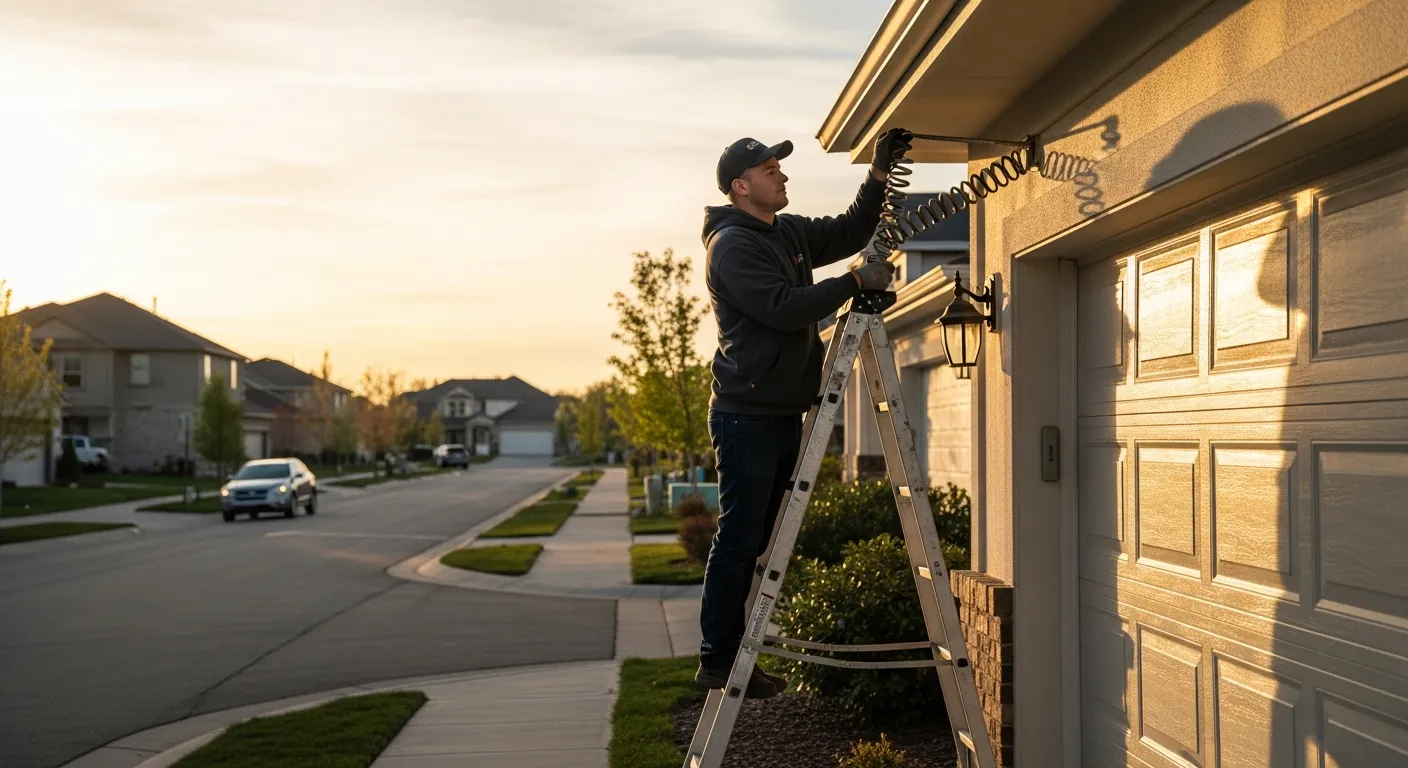
The garage door call you cannot afford to miss
A homeowner backs out of the garage, hears a bang like a gunshot, and the door will not move. That is a broken torsion spring, and it is one of the most common — and most time-sensitive — calls a garage door company gets. The car is trapped. The homeowner is late for work. And they are dialing the first three garage door companies they find, in order, until someone picks up.
As of July 2026, the companies winning those calls are not the ones with the biggest yellow-page ad. They are the ones that answer on the first ring, quote a realistic price, and put a technician on the calendar before the homeowner hangs up. That is a coordination problem, not a marketing problem — and it is exactly what garage door business automation solves.
This guide breaks down how a modern garage door operation captures emergency calls, routes repair versus install work, quotes accurately, and turns finished jobs into five-star reviews, without adding a front-desk salary. If you run a broader mixed trade, the same playbook logic appears in our locksmith automation stack breakdown and the HVAC answering service stack.
Why garage door calls leak revenue
Garage door demand is spiky and unforgiving. A door works fine for years, then fails suddenly, and the homeowner needs it fixed today. That creates a few structural problems:
- Emergencies cluster at bad hours. Springs snap in the morning cold and after a long day of cycling. Openers die on weekend evenings. Your office may be closed exactly when the phone rings.
- The buyer is impatient and comparison-shopping in real time. A homeowner with a trapped car will call the next company on the list within 90 seconds of hitting voicemail.
- The jobs are high-ticket enough to matter. A spring replacement, a bent-track repair, or a new insulated door is not a $40 service call. Missing three of these a week is real money walking out the door.
The U.S. Census Bureau's data on residential improvement spending shows just how large the home-services market is, and garage doors sit squarely inside the "must fix now" category of that spend. The problem is rarely lead generation. The problem is lead capture — answering the calls your ads already paid for. We dig into that gap in the true ROI of an AI receptionist for service businesses.
The five systems behind a fully automated garage door business
Run with Jarvis is built from five components that map cleanly onto the garage door workflow. You do not need all five on day one — the plans stack them as you grow.
- KeyBot — a 24/7 bilingual (English/Spanish) AI phone answerer that qualifies the call, quotes from your price book, and books the appointment.
- GetTimePad — online booking and scheduling, so same-day and next-day slots are visible and reservable in real time.
- IntelliDrive — CRM, POS, invoicing, payment links, parts and spring inventory, and technician dispatch, syncing to QuickBooks or Square.
- CallFlux — call tracking, ad-source attribution, recording and transcription, and ROI dashboards so you know which spring-repair ad actually drives booked jobs.
- Jarvis AI Brain — natural-language commands and autonomous workflows that handle follow-up, revenue optimization, and proactive recommendations.
If you are weighing this stacked approach against buying five separate tools, our comparison of all-in-one versus point solutions walks through the integration math.
Capturing the emergency call: intake that actually qualifies
The heart of garage door automation is the first 60 seconds of the call. A good intake conversation does four things fast:
1. Triage the failure. The AI recognizes the difference between "the door won't open at all" (likely a broken spring or snapped cable), "it goes up crooked and jams" (off-track or bent roller), and "the remote stopped working" (opener or logic-board issue). Each maps to a different service type, urgency, and price band.
2. Capture the specs that matter. When the homeowner knows them, the intake grabs the door width (single 9-foot vs. double 16-foot), whether it is a torsion or extension spring setup, and the opener brand. Those details let a tech load the right springs and cables before rolling out, which turns a two-trip repair into a one-visit fix.
3. Flag true emergencies. A car trapped inside, a door hanging off its track over a doorway, or a spring that failed with someone underneath it are prioritized for same-day dispatch or live-agent escalation. The AI never buries an emergency in a voicemail queue.
4. Book or escalate — never just take a message. If the job is standard, it goes straight onto the calendar. If it needs a human, it escalates to a live technician with the full context already captured. To see exactly how the booking handoff works, read how AI appointment booking works.
Because the answerer is bilingual out of the box, a Spanish-speaking homeowner gets the same clean intake in their language — a meaningful edge in many U.S. markets, as we cover in the bilingual Spanish answering service guide.
Same-day scheduling without the phone-tag spiral
Garage door repair lives and dies on same-day availability. GetTimePad exposes your real open slots so the AI can offer a concrete window — "I can get a technician to you between 1 and 3 this afternoon" — instead of the dreaded "someone will call you back to schedule."
That specificity matters. A homeowner comparing three companies will book with the one that names a time. The system holds the slot, texts a confirmation, and can send a reminder before the appointment window to cut no-shows — the same reminder mechanics we detail in reducing no-shows with appointment reminders.
When calls do slip through during a rush — say two techs are already on emergency spring jobs and a third call comes in — a missed-call text-back immediately re-engages the caller so the lead does not evaporate. That safety net is explained in the missed-call text-back playbook.
Dispatching repair techs vs. install techs
Not every garage door job wants the same technician. A $180 spring swap and a $2,400 insulated double-door install require different skills, different van loadouts, and different time blocks. Sending your install crew to a quick repair — or worse, sending a repair tech to measure a new-door install they cannot quote — wastes the most expensive resource you have.
IntelliDrive's dispatch board separates the two workflows:
- Repair service calls are short, high-frequency, and priced from your standard rate card. They get routed to techs stocked with common springs, cables, rollers, and opener parts.
- Install and replacement estimates are longer, consultative, and often need a measurement and a follow-up quote. They route to your estimator or install lead, with the CRM tracking the estimate through to a signed job.
Because dispatch, CRM, and inventory live in one system, the dispatcher can see which van has the right torsion springs in stock before assigning the job. Our deep dive on CRM and dispatch software for multi-tech teams covers how that board scales past a two-truck shop.
Quoting accurately in the moment
Nothing kills a garage door lead faster than a vague answer to "how much?" The homeowner does not expect a firm number sight-unseen, but they do expect a credible range. The automation quotes from your price book — your labor rate, your spring pricing, your service-call fee — so the number the homeowner hears matches the invoice IntelliDrive generates later.
For install work, the flow shifts to an estimate: capture the door specs, book the measurement, and let the estimator send a formal quote with a payment link. IntelliDrive handles the invoice and the payment link, syncing the whole transaction to QuickBooks or Square so your books stay clean without double entry.
What it costs, and where the break-even sits
Here is the piece most guides dodge. Below is the full Run with Jarvis lineup with the real 2026 numbers.
| Plan | Monthly | AI call minutes | Overage / min | What garage door companies get |
|---|---|---|---|---|
| Core | $500/mo | 500 | $0.45 | KeyBot 24/7 bilingual answering, GetTimePad scheduling, SMS, plus IntelliDrive: CRM/POS, invoicing, payment links, parts inventory, tech dispatch, QuickBooks/Square |
| Pro | $750/mo | 1,000 | $0.40 | Adds CallFlux: call tracking, ad attribution, recording/transcription, ROI dashboards |
| Elite | $1,200/mo | 2,500 | $0.35 | Adds AI marketing and the Jarvis AI Brain: AI campaign builder, natural-language commands, autonomous workflows, revenue optimization |
There are no setup fees, no per-call fees, and no long-term contract — every plan is month-to-month with unlimited users, and overage is a published per-minute rate that gets cheaper on the higher tiers.
Now the math that matters. Take the Core plan at $500/mo with 500 included minutes. A typical garage door intake-and-booking call runs about four minutes. That is roughly 125 booked-capable calls per month, or a fully loaded cost near $4.00 per answered call ($500 ÷ 500 × 4). Against a spring-repair ticket that commonly lands in the $180–$350 range, the plan pays for itself the moment it saves two jobs a month that would otherwise have gone to voicemail — the break-even is roughly $500 ÷ $250, or two average tickets. Every captured emergency after that is margin. Our breakdown of what AI operations actually cost works through this per-minute logic across plan tiers.
Attribution: knowing which ad drives spring jobs
Garage door companies spend real money on Local Services Ads, Google Ads, and yard signs. The question that never gets answered cleanly is: which of those actually produced a booked job? CallFlux answers it by tracking each call to its source, recording and transcribing the conversation, and rolling the results into an ROI dashboard.
That means you can see that your "broken garage door spring" search campaign booked eleven jobs last month while your generic "garage door repair" campaign mostly drew price-shoppers. You reallocate budget toward what converts. The full mechanics are in the call tracking and attribution guide.
Review follow-up: turning fast fixes into local ranking
A homeowner whose trapped car you freed in three hours is at peak gratitude the moment the tech drives away. That is the window to ask for a review. Manually, it never happens — the tech is already on the next call and the office forgets. Automated, it is a text that goes out on job completion with a direct link to your Google profile.
Consistent review velocity is the single biggest lever on local search ranking for "garage door repair near me." More reviews means a stronger profile, which means more of the ad-free calls that cost you nothing to acquire. The system's review-request workflow is covered in getting more customer reviews, and the broader autonomous follow-up logic in AI outbound follow-up for service businesses.
A day in the life of an automated garage door shop
Here is how the pieces fit together on a busy Tuesday:
- 7:12 a.m. — A homeowner calls with a snapped spring and a car trapped in the garage. KeyBot answers, triages it as an emergency, captures a double 16-foot door with a torsion setup, and books the first available window at 9–11 a.m. A confirmation text goes out.
- 7:40 a.m. — A Spanish-speaking caller reports a door that goes up crooked. The AI handles the full intake in Spanish, flags it as a likely off-track repair, and books an afternoon slot.
- 9:05 a.m. — IntelliDrive routes the emergency spring job to the tech whose van already carries the matching torsion springs. He arrives with the right parts and fixes it in one visit.
- 11:30 a.m. — A caller wants a quote for a brand-new insulated double door. The AI recognizes this as an install, captures the opening dimensions, and books a measurement with the estimator rather than a repair tech.
- 2:15 p.m. — CallFlux logs that the morning's emergency call came from the Local Services Ads campaign, attributing a booked $290 job to that ad source.
- 4:00 p.m. — The morning spring job is marked complete. Jarvis sends the homeowner a review-request text. She leaves a five-star review before dinner.
Nobody sat at a front desk to make that happen. The owner spent the day on the tools, not the phone.
Choosing your starting plan
Most garage door companies should start at Core ($500/mo) — it includes IntelliDrive, the CRM, dispatch, invoicing, and inventory layer that a multi-tech repair operation actually needs, right alongside KeyBot answering and GetTimePad scheduling, so even the first tier is a complete operations system. Shops spending heavily on ads should move up to Pro ($750/mo) for CallFlux attribution, and larger operations that want AI marketing, autonomous workflows, and revenue optimization land on Elite ($1,200/mo).
If you are unsure which tier fits your call volume, our guide to choosing an AI receptionist plan walks through the minute-math. You can also compare AI versus human answering services to see why a 24/7 AI beats a per-call answering service for emergency-driven trades.
Where garage door companies get automation wrong
Adopting automation badly is worse than not adopting it. A few failure modes come up repeatedly, and each is avoidable:
Treating the AI as a voicemail replacement instead of a booking engine. Some owners deploy an answering tool and let it take messages. That misses the entire point. The value is in booking the job on the call — offering a real window, quoting from the price book, and confirming by text. A message that still needs a human callback loses the race to the competitor who booked live.
Not loading a real price book. If the AI cannot quote, it stalls exactly where the homeowner needs a number. Spend the setup time entering your labor rate, spring pricing, and service-call fee so the intake gives a credible range on the spot.
Skipping the emergency-escalation rules. A door hanging off its track over someone's head is not a standard booking. Configure which scenarios escalate to a live technician so the rare genuine emergency gets human judgment while the routine 95% books automatically.
Ignoring the data CallFlux surfaces. Attribution only pays off if you act on it. Reviewing the ROI dashboard monthly and shifting budget toward the campaigns that book spring jobs is the difference between spending on ads and investing in them.
Done right, the pattern is simple: answer everything, quote from your book, book the routine, escalate the rare, and measure what converts. The what-is-an-AI-employee guide frames how this replaces a front-desk role rather than just a phone line.
Scaling from one truck to a fleet
The automation that helps a solo installer also carries a growing company through the awkward middle — the two-to-six-truck phase where you are too big to answer every call yourself but too small to justify a full dispatch office.
At one or two trucks, the win is simply never missing an emergency call while you are up a ladder installing a door. Core covers that.
At three to six trucks, the dispatch problem becomes the constraint. You have a repair tech, an install lead, and a couple of generalists, and someone has to decide who goes where with what parts. IntelliDrive's dispatch board makes that assignment by skill, location, and van inventory, so the person who used to spend the morning coordinating on the phone gets that time back. This is the stage where the CRM history also starts compounding — repeat customers, warranty tracking on installed doors, and a record of which homes got which springs.
Past six trucks, the leverage shifts to Elite and the Jarvis AI Brain's autonomous workflows: proactive follow-up on aging install estimates, revenue optimization across service types, and natural-language commands so the owner can ask for the day's booked revenue or the week's install pipeline without pulling a report. The system grows with the truck count instead of forcing a rip-and-replace at each stage — the exact advantage the all-in-one versus point solutions analysis quantifies.
The bottom line
Garage door work is a race to answer. The homeowner with a trapped car will book with whoever picks up, quotes credibly, and names a time. Automation lets a garage door company win that race every time — at 7 a.m., on a Saturday, in Spanish — without hiring a dispatcher. It routes repair versus install work to the right tech, quotes from your real price book, invoices cleanly into QuickBooks or Square, and turns every finished job into a review that ranks you higher for the next search.
The math is not subtle: at Core's roughly $4.00 per answered call, capturing two extra spring jobs a month covers the plan. Everything after that is growth you were already paying to advertise for — you just were not answering the phone. Learn more about what an AI employee does for service businesses, or see the KeyBot answerer, GetTimePad scheduler, and IntelliDrive dispatch tools in action at thekeybot.com and gettimepad.com.
Related reading
- Locksmith Business Automation Stack 2026
- HVAC Answering Service & Automation Stack
- CRM & Dispatch Software for Multi-Tech Service Businesses
- The True ROI of an AI Receptionist in 2026
- Missed-Call Text-Back for Service Businesses
Ready to stop losing broken-spring calls to voicemail? Compare tiers on the pricing page and book a demo to see the garage door workflow end to end.