Locksmithing is a phone business that happens to involve locks
Ask a locksmith what they do and they'll talk about keys, transponders, and deadbolts. Watch their revenue for a week and you'll see something different: a business won or lost on the phone, at odd hours, one emergency at a time. The caller locked out at 11 PM doesn't shop on craftsmanship — they book the first locksmith who answers, quotes a believable price, and says "we can be there in forty minutes." As of July 2026, the technology to win that moment every single time — without hiring a night dispatcher — is mature, affordable, and increasingly the difference between shops that grow and shops that grind.
This is the flagship guide to the complete locksmith automation stack: what the layers are, what each one actually does for a locksmith specifically, how they map to Run with Jarvis plan tiers, and what a day looks like before and after. It's written for the owner-operator and the small multi-tech shop — the businesses where the owner still answers calls from under a dashboard.
Why locksmiths feel the missed-call problem harder than anyone
Every service vertical loses money to missed calls, but locksmithing concentrates the pain in three ways:
Demand is urgent and substitutable. A homeowner planning a bathroom remodel will call a plumber back. A driver locked out of a running car will not call you back — they've already dialed the next result. Lockouts, lost keys, and broken ignitions are now-or-never revenue.
Demand is nocturnal and weekend-heavy. The jobs with the best margins — after-hours lockouts, emergency rekeys — arrive precisely when a human answerer is least available and most expensive. Our after-hours calls playbook covers the general case; for locksmiths, after-hours isn't an edge case, it's a product line.
The owner is the bottleneck. In a typical small shop the same person cuts keys, drives the truck, quotes prices, and answers the phone. Every inbound call during a job forces a choice between the customer in front of you and the customer trying to reach you. Small firms dominate this trade — the U.S. Census Bureau's business statistics (census.gov) show most American businesses operate with only a handful of employees, and locksmith shops skew even smaller — so "just hire someone for the phones" is usually a fantasy at local-shop economics.
Automation attacks all three at once: the phone is answered instantly, at any hour, without pulling anyone off a job. That's the first layer of the stack. The other three layers make sure the answered call turns into a booked job, a paid invoice, and a smarter ad budget.
The four layers of the locksmith automation stack
Layer 1: 24/7 AI call answering and quoting — KeyBot
The foundation is an AI receptionist that answers every call on the first ring, around the clock, in English and Spanish. For locksmiths that's KeyBot — the answering layer of the Run with Jarvis platform, built for exactly this vertical's intake: what's the vehicle or property, where are you, what's the situation, and here's what it costs and when we can be there.
Quoting is the part generic answering services can't touch. Automotive locksmith pricing depends on year, make, model, and service type — a 2012 transponder key and a 2023 proximity fob are different jobs at different prices. An AI receptionist that handles lead intake and qualification can walk that tree consistently on every call, at 2 PM or 2 AM, without the pricing drift that happens when a tired human quotes from memory. Consistency compounds: the caller gets a straight answer fast, and the shop stops leaking margin to improvised discounts.
The bilingual point deserves emphasis for this trade: in most metro markets a meaningful share of lockout calls come in Spanish, and a shop whose phone handles both languages natively captures demand its competitors quietly turn away. If you want the deeper conceptual grounding, our overview of what an AI employee is and the ROI math on AI answering both build the general case; this layer is that case at maximum intensity.
Layer 2: Appointment booking — GetTimePad
An answered call that ends with "someone will call you back to schedule" is half a win at best. The second layer, GetTimePad, closes the loop: the job goes on the calendar during the call, with SMS notifications confirming the appointment to the customer. Booking-in-the-call matters for the same reason answering-on-the-first-ring does — every additional step between "yes" and "scheduled" is a window for the customer to keep shopping.
For a locksmith, the calendar is also an operational document: it's the difference between a day of jobs sequenced across town in a sane order and a day of backtracking. Scheduling, intake forms, and customer records in one place mean the tech rolls up already knowing the vehicle, the service, and the quoted price. The mechanics of how AI moves a caller from question to confirmed slot are covered in our companion guide on how AI appointment booking works.
Layer 3: CRM, POS, invoicing, and inventory — IntelliDrive
The third layer is where the locksmith stack stops being a front office and becomes a business system. IntelliDrive is the CRM + POS layer: unified customer records, invoicing and payment links, inventory management, technician dispatch, and QuickBooks/Square sync.
Each of those is a specific locksmith headache with a name on it:
- Invoicing and payment links end the ritual of paper invoices and "I'll mail a check." The tech finishes the job, the invoice exists, the customer pays by link — and outstanding-balance alerts plus automated reminders chase whatever lingers. (Follow-up is its own revenue discipline; we wrote a full guide to automated follow-up on the reminders, review requests, and reactivation that run on top of this layer.)
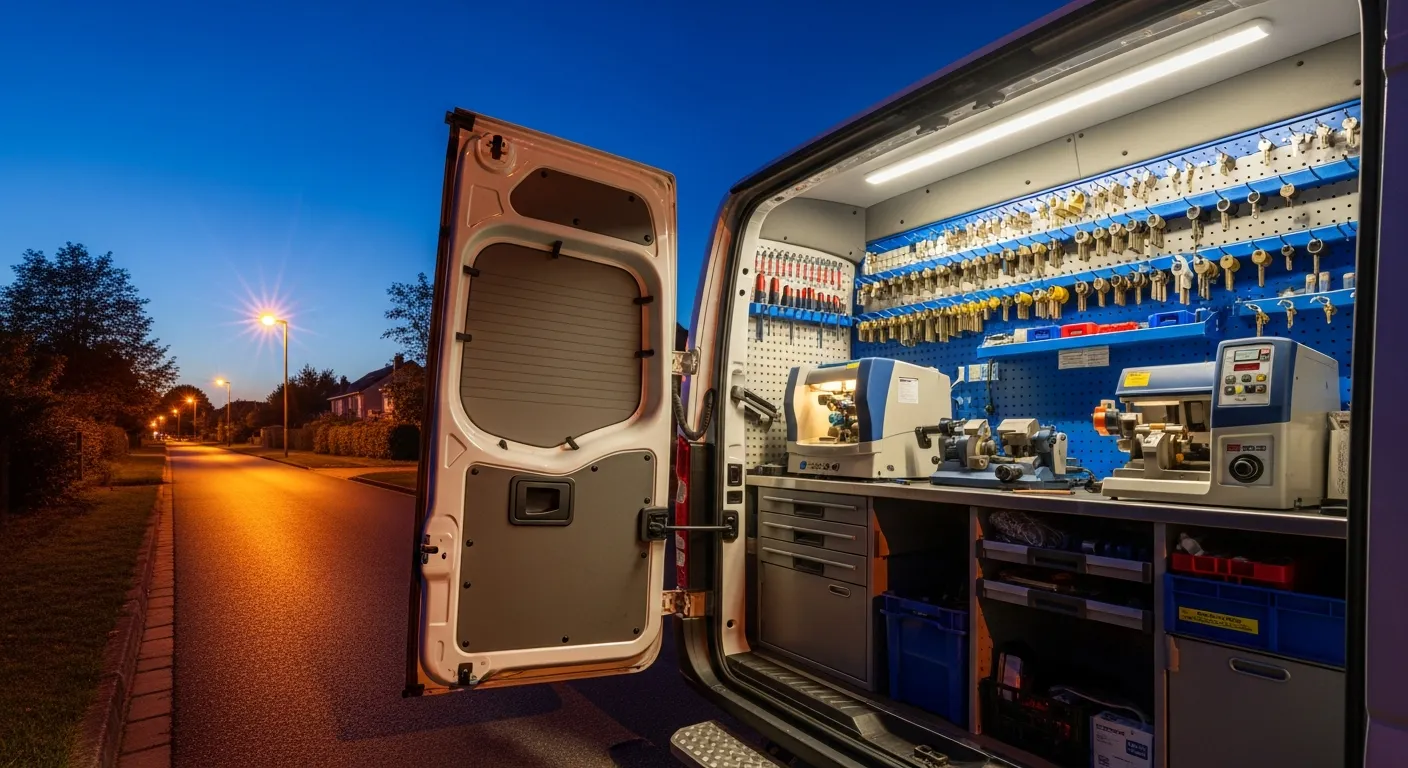
- Inventory management matters more in locksmithing than in most trades, because the truck is the warehouse. Key blanks, fobs, transponders, and modules are real money riding around town; knowing what's on hand keeps a booked job from dying at the customer's curb because the blank wasn't in the drawer.
- Technician dispatch turns "who's closest to the lockout on Route 9?" from a group text into a system decision — the difference between one dispatcher's memory and a schedule every tech can see. For shops running two or more trucks, our CRM and dispatch guide for multi-tech businesses goes deep on this layer alone.
- QuickBooks / Square sync means the books reflect reality without Sunday-night data entry.
The strategic point isn't any single feature — it's that this layer shares records with the layers above it. The call that KeyBot answered, the appointment GetTimePad booked, and the invoice IntelliDrive collected are one customer story, not three exports. That integration argument — one platform versus a duct-taped collection of point tools — is examined honestly in our all-in-one vs point solutions comparison.
Layer 4: Call tracking and attribution — CallFlux
The final layer answers the question every locksmith asks and almost none can answer: which marketing actually produces booked jobs? CallFlux is the call-tracking layer — ad source attribution, call recording and transcription, conversion analytics, and campaign ROI dashboards.
Locksmith marketing is uniquely attribution-hungry because the vertical runs on paid search and local service ads where cost per lead is high and spam calls are rampant. Two campaigns can deliver the same number of calls while one delivers triple the booked revenue — and without per-source tracking tied through to jobs, you'll fund both forever. Attribution turns the ad budget from a faith-based expense into an instrument you can actually tune. The full discipline — numbers, sources, and the lead-source-to-payment chain — is laid out in our dedicated call tracking and attribution guide.
The layer above the layers: Jarvis AI Brain
On the top tier, the Jarvis AI Brain sits across all four layers as a command center: natural language commands, an autonomous workflow engine, revenue optimization, and proactive recommendations. Practically, it's the difference between owning four connected systems and being able to ask your business questions: "How much revenue did we collect today?" "Show missed calls that did not get a callback." "Which ad source is producing booked jobs?" For an owner who has spent years assembling answers from tabs, this layer is the one that changes how the job feels.
Mapping the stack to plan tiers
Here's how the four layers land on Run with Jarvis pricing — and which locksmith actually needs each tier:
| Plan | Price (month-to-month) | AI minutes | What it adds | Right for |
|---|---|---|---|---|
| Core | $500/mo | 500 ($0.45/min overage) | KeyBot 24/7 bilingual answering + GetTimePad booking + IntelliDrive CRM/POS: invoicing, payment links, inventory, technician dispatch, QuickBooks sync | Any shop that needs the phones answered and the operation run as one system — most locksmiths start here |
| Pro | $750/mo | 1,000 ($0.40/min overage) | Everything above + CallFlux: ad attribution, call recording and transcription, AI lead scoring, conversion analytics, ROI dashboards | Shops spending meaningfully on ads/LSA who need to know what converts |
| Elite | $1,200/mo | 2,500 ($0.35/min overage) | Everything above + Jarvis AI Brain and AI marketing: natural language commands, AI campaign and landing-page builders, Google Business Profile management, AI review replies | Owners running the whole operation as one system and managing by question, not by tab |
Two honest buying notes. First, the tiers are cumulative — you can't skip layers, and in practice you wouldn't want to: attribution without booking data is trivia, and a workflow engine without invoices has nothing to work. Second, match the tier to your bottleneck, not your ambition. A solo locksmith drowning in missed calls gets more from $500 well-used than from $1,200 half-configured; a three-truck shop hemorrhaging ad spend should not stop below $750. The broader budget framework — including how to think about minutes, overages, and payback — is in our companion piece on what AI operations actually cost in 2026.
A word on minutes, since it's the question every locksmith asks next. AI call minutes are the metered part of every plan — 500 on Core, 1,000 on Pro, and 2,500 on Elite — and locksmith calls are mercifully short. A typical intake call (situation, vehicle or property, location, quote, booking) is a few minutes of talk time; at a four-minute average, Core covers roughly 125 calls a month, Pro about 250, and Elite about 625 before overage pricing kicks in at $0.45/min on Core ($0.40 on Pro, $0.35 on Elite — the per-minute rate gets cheaper as you move up, not more expensive). The practical guidance: don't buy a tier for its minute allotment alone. Pick the tier whose systems match your operation, run a normal month, and let your actual usage tell you whether you're sized right. A shop that regularly blows through its allotment isn't overpaying — it's answering call volume that used to hit voicemail, which is precisely the outcome the stack exists to produce. Overage on captured emergency jobs is the happiest line item on the invoice.
A day in the life: before and after
Before — Tuesday, owner-operated shop, two trucks.
6:52 AM: First call of the day goes to voicemail; owner is driving. The caller, locked out before work, dials the next listing. 9:15 AM: Owner under a dashboard programming a fob; phone buzzes four times. Two callers hang up, one leaves a garbled voicemail, one was a duct-cleaning robocall — but he doesn't know that yet, so all four occupy his head. 12:30 PM: Callback attempts. One books (for tomorrow — the urgency died this morning), one already used a competitor. 3 PM: Second tech texts asking where he's supposed to be next. 7 PM: Dinner interrupted by a lockout call the owner takes because after-hours jobs pay too well to skip — then he quotes from memory and undercharges. 10 PM: Invoicing. Three paper invoices from last week still unpaid; he can't remember if anyone reminded the Hendersons. The Google Ads dashboard says 41 clicks. He has no idea which of today's jobs, if any, came from them.
After — the same Tuesday on the full stack.
6:52 AM: KeyBot answers on the first ring, quotes the lockout, books it for 7:40 AM, and the customer gets an SMS confirmation. The owner learns about the job from his calendar, not his voicemail. 9:15 AM: Four calls come in while he programs the fob. Two are quoted and booked, one asks for a callback (logged, scheduled), one is spam that never touches him. 12:30 PM: Instead of callback roulette, he checks the day: five booked jobs, sequenced, each with vehicle, address, and quoted price attached. 3 PM: The second tech's next stop is on his dispatch view; nobody texts. 7 PM: The after-hours lockout is answered, quoted at the correct evening rate, and booked while the owner eats dinner — he just drives. 9:30 PM: Invoices went out as payment links when jobs closed; two are already paid, and the stragglers are on an automated reminder cadence. The dashboard shows today's collected revenue and — because CallFlux tags every call's source — that the morning lockout came from LSA while the two Google Ads calls booked $0. Next month's budget just got smarter, silently.
Nothing in the "after" required the owner to become a software person. The change is that the phone, the calendar, the invoice, and the ad report stopped being four separate chores and became one system with him at the top of it.
Rolling it out without breaking your week
A realistic adoption path for a working locksmith shop:
- Week 1 — answering and booking. Turn on KeyBot and GetTimePad, load your services and pricing logic, and forward the lines. Listen to the first days of calls; tighten the intake script where your market talks differently than you expected.
- Week 2 — money. Stand up IntelliDrive: import customers, connect QuickBooks or Square, and switch new jobs to payment links. Don't backfill history under deadline; run new work on the new rails and migrate old receivables as reminders, not data entry.
- Week 3 — trucks and inventory. Bring techs onto dispatch and count the trucks once, properly. Inventory accuracy starts at the first honest count.
- Week 4 — attribution. Point tracking numbers at your ad sources and let CallFlux accumulate two to three weeks of data before you change any spend. Attribution rewards patience; reallocating on four days of calls is astrology.
From there, review one number per layer weekly: answer rate, booked-job count, days-to-payment, and cost per booked job by source. When those four are moving the right direction, the stack is paying for itself — and the Elite tier becomes the natural next step, because you'll have real data worth asking questions of. Guidance for small-business technology adoption from the SBA (sba.gov) consistently points the same direction: adopt in stages, measure as you go, and let each stage justify the next.
Related reading
Go deeper on each layer of the stack: how AI appointment booking works, CRM and dispatch for multi-tech shops, and call tracking and attribution. For the buying decision itself, compare all-in-one vs point solutions — or book a demo and watch the stack answer a locksmith call end to end.