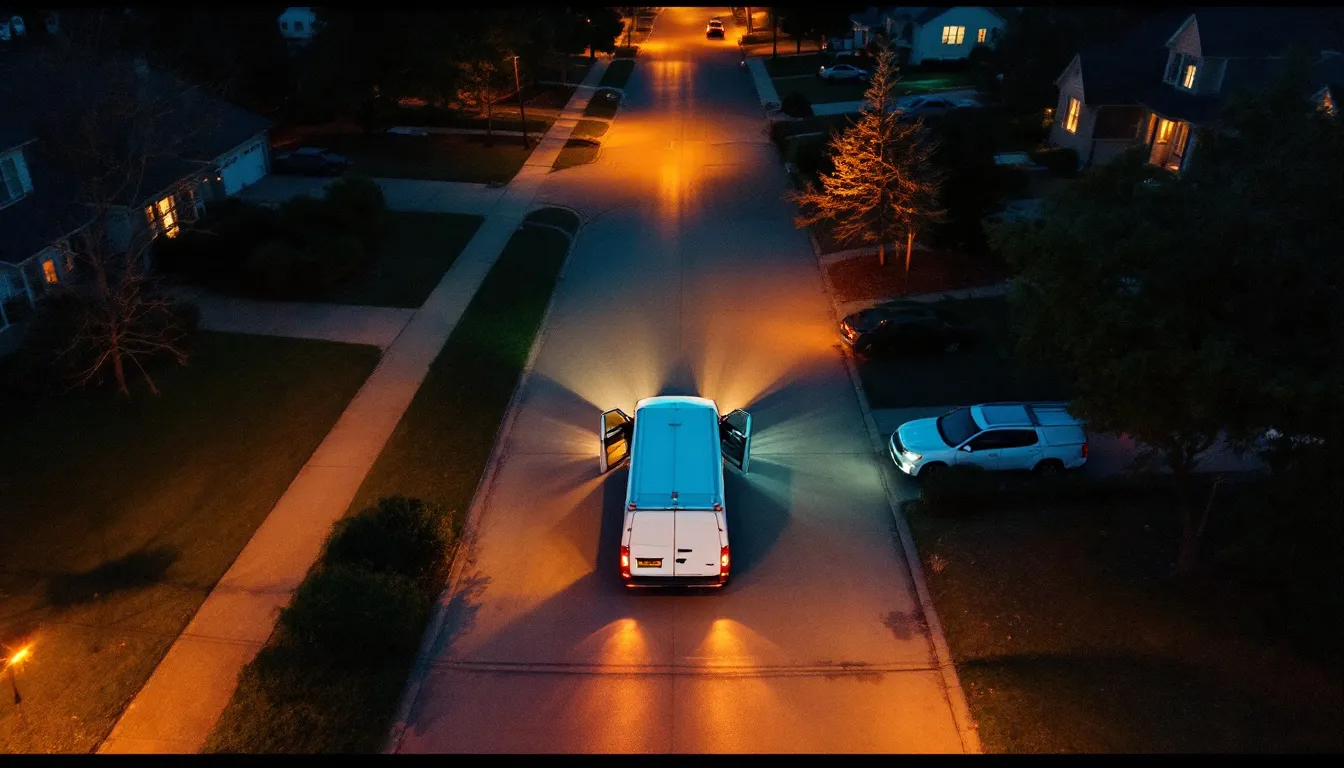
The call that is not really a complaint
Every service business knows the call. It comes in around the middle of an arrival window, sometimes before it has even started, and it goes the same way every time: "Hi, I have an appointment today, I was just wondering when the tech is coming."
It is rarely angry. It is a person who rearranged their day, is standing in a kitchen they cannot leave, and has no information. The call costs the office a few minutes, interrupts whoever answers, and produces nothing except reassurance. Multiply it across a week of jobs and it quietly becomes one of the largest categories of inbound calls a dispatch-heavy business handles.
As of September 2026, the cheapest fix for that category is not a bigger office. It is a short, well-timed message that answers the question before the customer has to ask it. On my way texts, ETA texts, arrival notices: different names for the same idea, which is that the customer should never be the one chasing information about their own appointment.
This guide covers why those calls happen, what the messages should say and when, how to handle technician location without creating a privacy problem, and the running-late protocol that separates a forgiven delay from a lost customer. The system referenced throughout is Run with Jarvis, and where automation fits it is because the platform acts as an AI employee for service businesses that does the repetitive coordination work so people do not have to.
Why arrival windows generate calls
An arrival window is a compromise. The business cannot promise a minute because the job before might run long, traffic might be bad, or a part might be missing. So it promises a range, often two or four hours, and asks the customer to be available for all of it.
From the customer's side, that window has three problems.
It is long. Four hours of waiting is a real cost, and people start looking for ways to shorten it. Calling to ask is the only lever they have.
It is silent. Nothing happens between booking and arrival. No signal that the job is still on, that the tech exists, that the day is going to plan. Silence reads as risk, and risk produces calls.
It is uncertain at the end. The last hour of a window is when anxiety peaks. If the tech has not appeared by then, the customer starts to wonder whether they were forgotten, and some of them book a competitor while they wait.
None of those problems are about the quality of the work. They are about information. That is why the fix is information, delivered at the moment it becomes known.
There is a second, less obvious cost. Silent windows produce no-shows on the customer side. A person who has heard nothing by mid-afternoon assumes the job fell through and goes out. The tech arrives to a locked door, the slot is wasted, and nobody is quite sure whose fault it was. The mechanics of reminders and confirmations are covered in depth in the guide to reducing no-shows with appointment reminders; the on my way message is the final, most time-sensitive link in that same chain.
The message sequence that removes most of the calls
One message is not enough, and ten is too many. A short sequence tied to real events does the job.
At booking: a confirmation. Date, window, service, address as recorded, and a way to reply if anything is wrong. This catches address errors on day zero instead of at the curb.
The day before: a reminder. Same details, plus anything the customer needs to prepare, such as clearing access to the equipment, having the vehicle keys available, or securing pets. This is also the last cheap moment to catch a cancellation.
When the tech departs the previous job: the on my way text. This is the message that ends the "where is the tech" call. It is sent when drive time is actually known, which means it carries a real estimate instead of a hopeful one.
If the estimate slips materially: a revised time. Covered in its own section below, because it is where most businesses fail.
On arrival: an optional arrival notice. Useful for large properties, apartments, gated sites and commercial buildings where the customer may not see the van pull up.
After completion: a wrap-up. Invoice or payment link, a thank you, and where appropriate a review request. That last step belongs to a different workflow, but it rides on the same messaging relationship you just built.
The discipline is that every message is triggered by something that happened, not by a clock. A reminder at 8 AM for a job that was rescheduled at 7 AM is worse than no reminder, because it now carries wrong information with the business's name on it.
What the on my way text should actually say
Short, specific, human. The message has one job: tell the customer when to expect someone and what to do if that no longer works.
A good version contains five things.
The business name first. Customers receive a lot of texts from numbers they do not recognise. The first words should tell them who this is.
The technician's first name. People open doors to names, not to companies. A first name also makes the tech accountable in a friendly way, and gives the customer something to say if they call.
An estimate as a short window. "Arriving between 2:10 and 2:30" is better than "arriving at 2:17", because it is honest about uncertainty while still being narrow enough to be useful. A single minute invites the customer to measure lateness from that minute.
One action. "Reply if this time no longer works" or "reply with any gate or parking instructions". One, not three.
Nothing else. No promotions, no survey links, no reminders about your other services. The message is operational. The moment it reads like marketing, customers learn to ignore it, and then it stops preventing calls.
An optional sixth element, a short description or small photo of the technician, helps people feel safe opening the door, particularly customers who live alone or elderly customers. Treat it as a policy decision rather than an afterthought, because it involves the employee's likeness.
Tone matters less than people think. What matters is that the information is right. A plainly worded message with an accurate window beats a warm, emoji-laden one with a wrong estimate every time.
Timing: early enough to act, late enough to be true
The hardest part of the on my way text is not the words. It is picking the moment.
Send it too early and the estimate is a guess. A text at 9 AM saying "your tech will arrive around 1 PM" is a reminder dressed as an ETA, and when the morning jobs run long the customer now has a specific wrong time in their head.
Send it too late and it is useless. A text that arrives when the van is already in the driveway does not let the customer get home from the shop, unlock the side gate, or move the car blocking the garage.
The workable rule is to send it when the technician leaves the previous job, because that is the first moment the drive time is actually knowable. For most local service businesses that lands somewhere between 15 and 45 minutes before arrival, which is enough time to act and close enough to be accurate.
Two refinements help.
First job of the day. There is no previous job, so trigger on the tech starting the route. The departure from the shop or home is the event.
Long drives. In a large service area a 60-minute drive is common. Here a departure text plus a short "about 15 minutes out" follow-up works better than one message, because an hour of notice is long enough for the customer to wander off. How service radius and drive time affect scheduling and pricing more broadly is covered in the service radius guide, but for messaging purposes the point is simply that drive time should shape the cadence.
This is where GPS tracking and route data earn their keep. On Run with Jarvis, GPS tracking, route optimization, and auto ETA and arrival SMS are all part of the Core plan, which means the estimate in the message is calculated from where the tech actually is and the route they are actually taking, rather than typed in by a dispatcher guessing between phone calls.
Technician location: share an estimate, not a person
Live location sharing is where good intentions produce real problems.
The customer wants certainty. The easy answer is to show them the van on a map. But a technician's location is information about an employee, and a standing live view of it creates three risks.
Privacy for the employee. A tech who stops for lunch, detours to a supply house, or takes a personal call does not need that visible to a customer they have not met yet. Continuous visibility turns ordinary workday behaviour into something customers can second-guess.
Safety. A persistent live location tells anyone who has the link where a specific person is and where they are going next. That is not a theoretical concern for technicians who carry tools and inventory.
Expectation drift. Once customers can watch the dot, they start calling about the dot. "Why did he turn left?" is a new category of call you did not have before.
The sensible policy has four parts.
Default to an estimate. A window in a text answers the real question, which is "when should I be ready", without exposing anything else.
If you show the approach, limit it. A view that appears only when the tech is en route to that specific customer, and disappears when the job starts or the window passes, gives certainty without surveillance.
Never show the previous job. The customer should not be able to infer where the tech just was.
Write the policy down and tell the team. Technicians should know exactly what customers can see. Surprises here damage trust inside the business faster than any customer complaint.
For employment-related privacy obligations around tracking, the rules vary by location and are a question for your attorney. The Federal Trade Commission and the Small Business Administration both publish general guidance for businesses handling customer and employee data, which is a reasonable place to start reading before setting a policy.
The running-late protocol
Every business runs late sometimes. The difference between a forgiven delay and a cancellation is almost entirely about when the customer found out.
A late arrival that was announced in advance is, for most customers, a minor inconvenience. A late arrival they discovered by standing at the window is a broken promise. The work is the same; the experience is not.
A running-late protocol turns a courtesy into a rule.
Define the trigger. For example: if the current job will clearly overrun, or the estimated arrival at the next customer falls outside the promised window, a late notice goes out. The trigger should be objective so it does not depend on someone remembering in the middle of a difficult job.
Send it before the window closes. Ideally 30 minutes or more ahead of the original estimate. A late notice sent after the window has passed is an apology, not a notice.
Give a new realistic window. Not "running a bit behind", which forces the customer to call and ask how far behind. A specific new window, padded honestly.
Offer a choice. Keep the slot at the new time, or move to the next available time. Customers who are given a choice rarely take offence; customers who are simply told often do.
Log it. Late notices are data. A technician or a service type that triggers them constantly is telling you the job durations in your scheduling are wrong, which is a scheduling problem, not a punctuality problem.
The worst pattern is the one where the tech knows they are late, feels bad about it, and says nothing in the hope of making up time. They rarely make it up, and the silence converts a small delay into a lost customer. A rule removes the awkwardness: the message goes out because the trigger fired, not because anyone decided to admit fault.
Handling the replies
The moment you text customers, they text back. Plan for it.
Most replies fall into four groups: confirmation ("great, thanks"), logistics ("the gate code is..." or "park on the street"), rescheduling ("can we do tomorrow instead?"), and questions ("how much will this be?").
Confirmations need no action. Logistics need to reach the technician before arrival, which means replies cannot sit in an office inbox nobody watches. Rescheduling needs to change the calendar and stop any remaining automated messages for the old slot. Questions need an answer from someone who knows.
The failure mode is replies landing in a void. A customer who replies with a gate code and then watches the tech stand outside the gate has learned that the messages are one-way, and will call next time instead. The broader mechanics of two-way customer texting, including consent and opt-out handling, are covered in the SMS text messaging guide for service businesses.
Opt-out handling deserves a specific mention. Operational messages about an appointment the customer booked are different from marketing, but customers can still ask you to stop texting, and that request has to be honoured every time. The Federal Communications Commission publishes consumer-facing material on text messaging rules; your attorney can advise on how those apply to your specific messages.
How the options compare
Businesses usually land in one of four places on arrival communication. The difference is less about technology than about who does the work and how accurate the information is.
| Approach | Who does the work | Accuracy of the ETA | Effect on 'where is the tech' calls | Main risk |
|---|---|---|---|---|
| No arrival messages | Nobody until the customer calls | None until asked | Highest; the call is the only channel | Customer no-shows and cancellations |
| Dispatcher texts by hand | Office staff, between other tasks | Depends on who remembered to check | Lower, but uneven across the day | Messages skipped when the office is busy |
| Technician texts from their phone | The tech, often while driving | Good when sent, often not sent | Lower for diligent techs only | Personal numbers exposed, safety while driving |
| Automated ETA from GPS and route | The system, triggered by departure | Calculated from live route data | Lowest and consistent | Needs a clear location privacy policy |
The pattern is that manual approaches work on quiet days and fail on busy ones, which is exactly when customers are most likely to be kept waiting. Automation is not about sophistication; it is about the messages still going out at 3 PM on the worst day of the month.
Measuring whether it is working
Arrival messaging is easy to set up and easy to forget about. A few numbers keep it honest.
Calls asking about arrival time. The headline measure. Tag them for a few weeks before and after, and the change tells you whether the messages are doing their job. If you record and transcribe calls, finding these is a search rather than a listening exercise.
Customer no-shows. The tech arrived and nobody was there. This should fall as confirmations and departure texts start reaching people.
Late notices per week, by technician and service type. A rising count points at scheduling durations, not individual performance.
Reply rate and reply handling time. If customers reply and wait hours for an answer, the messages are creating a new problem.
On-time arrival against the promised window. The number that ultimately determines whether customers trust your windows at all.
These belong on the same operating dashboard as the rest of the business, not in a separate messaging report. How to choose and arrange those numbers so they drive decisions rather than decoration is set out in the service business KPIs dashboard guide.
One illustrative way to size the benefit: suppose a business runs 60 jobs a week and one in five produces a "when is the tech coming" call lasting three minutes including the interruption. That is 12 calls and around 36 minutes a week of pure reassurance. Cut most of those and you have reclaimed a working morning each month, before counting the no-shows avoided. Your own numbers will differ; the point is that the category is measurable, so measure it.
What to automate and what to keep human
Automate the triggers and the delivery: confirmation at booking, reminder the day before, departure text calculated from real location and route, the late notice when the estimate crosses the window, the arrival notice, and the wrap-up with the payment link. None of these benefit from a human typing them, and all of them fail when a human forgets.
Keep human the judgement calls: whether a delay is serious enough to call the customer rather than text them, how to handle an upset reply, whether to offer something for a badly missed window, and what the location privacy policy should be in the first place.
A useful test is to ask whether the message would be identical no matter who sent it. If it would, automate it. If the right answer depends on the customer, the history, or the situation, it belongs with a person.
Where to start
Start with the one message that removes the most calls: the departure text. Pick an objective trigger, write a five-element message, and run it for two weeks while counting arrival-time calls.
Then add the running-late rule, because the protocol matters more than the wording. Then write down the location privacy policy and walk your technicians through it before any customer can see anything.
Auto ETA and arrival SMS, GPS tracking and route optimization come with the Core plan at $500 a month; Pro is $750 and Elite is $1,200, each with more included minutes and more tools. All three are month-to-month with no setup fee and unlimited users, and the full breakdown is on the pricing page. To talk through your own dispatch flow, get in touch.