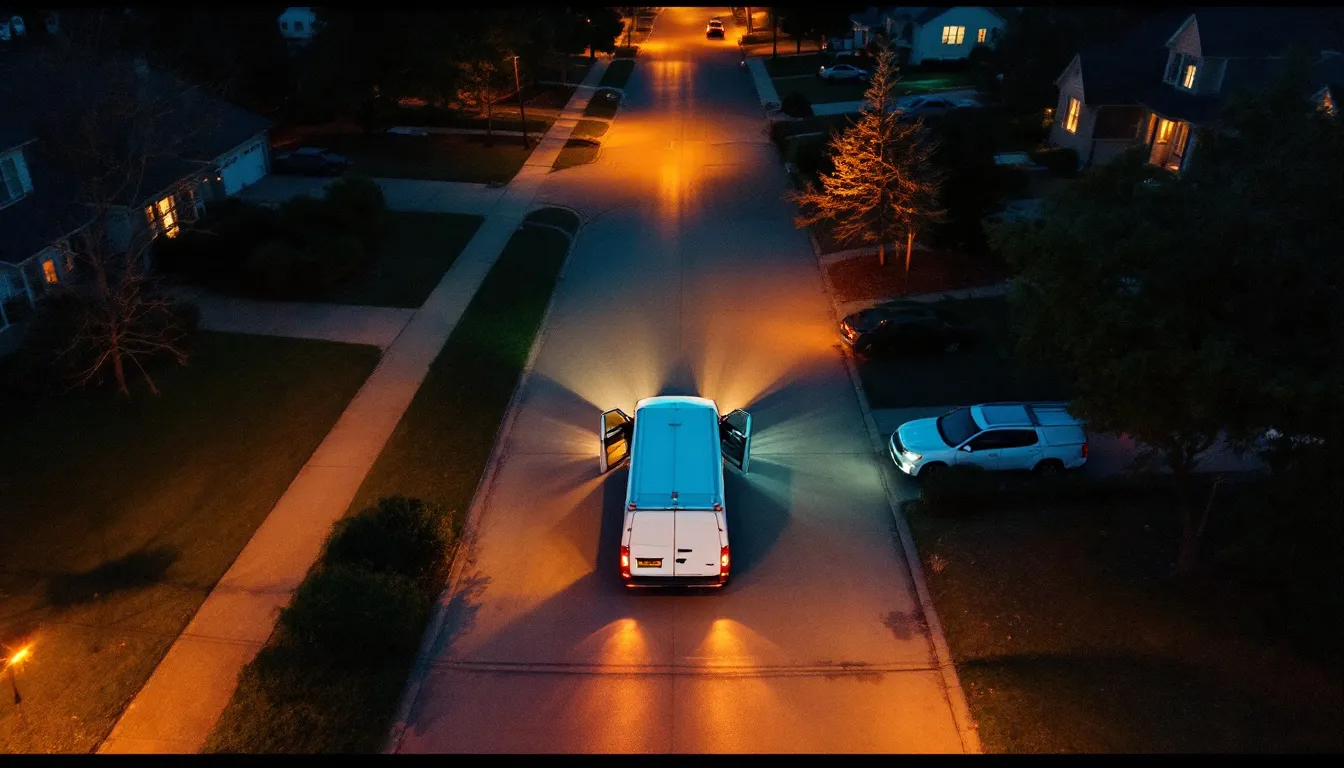
The argument you lose without a photo
Sooner or later every service business has this conversation. A customer calls three weeks after a job and says the thing you fixed is broken again, or that your technician scratched something, or that the work was never finished. The technician remembers the job differently. Nobody can prove anything. The business either argues, which costs the relationship, or gives in, which costs money.
Almost every one of those conversations would have been over in a minute with a photo.
As of September 2026 nearly every technician carries a camera good enough to document a job in detail, and yet documentation in most service businesses is still inconsistent: plenty of photos on the good days, none on the rushed ones, and the ones that exist scattered across personal phones where nobody in the office can find them. The gap is not equipment. It is a rule for what to shoot and a single place for the photos to live.
This guide sets out that rule, a naming and attachment habit that makes photos findable, and the four places documentation pays back: warranty disputes, chargebacks, permits and inspections, and training. Throughout, the system referenced is Run with Jarvis, where photos attached in the field sit on the same job record the office, the invoice, and the customer history already use.
What documentation is actually for
Before deciding what to shoot, be clear about why. Job photos serve four audiences, and each wants something different.
The business in a dispute. Proof of the condition before you started, what you did, and how you left it. This is the audience owners think of first.
The payment processor in a chargeback. Evidence that a service was delivered as described. Photos are only part of this, but a strong part.
The inspector or permit office. Visual evidence of work that will be covered up, or of code-relevant details, where the trade and jurisdiction call for it.
The next technician. The person who returns to that property in a year and needs to know what equipment is there, what was replaced, and what the access looks like.
A photo habit designed only for disputes tends to capture the problem and the fix and nothing else. A habit designed for all four captures a little more context, which costs seconds and pays back far more often. The best documentation is boring and complete rather than dramatic and selective.
The five shots on every job
A photo rule has to be short enough that a technician under time pressure still follows it. Five shots cover most situations.
1. Wide shot on arrival. The work area as found, before anything is moved. This is the photo that settles "you scratched my floor" and "the cabinet was already damaged". It takes three seconds and is the one most often skipped.
2. The problem as found. A clear close-up of the failure, damage or condition that triggered the call. Good light, in focus, with enough surrounding context that someone else can tell what they are looking at.
3. Identifying plates and labels. Model and serial plates, part numbers, or the equipment tag relevant to the job. This shot pays back in warranty claims with manufacturers, in parts ordering, and on the next visit.
4. The finished work. The repair or installation complete, from the angle that shows it best. If the work will be concealed, this shot needs to be taken before it is covered.
5. Wide shot on departure. The area as left: tools gone, debris removed, panels back on. The mirror of shot one, and the answer to "your guy left a mess".
Everything else is trade-specific. An electrician may add panel labelling and torque-sensitive terminations. A plumber may add the shutoff location and pressure readings. A locksmith may add the lock and key condition before rekeying. An HVAC technician may add filter and coil condition. Build the trade-specific additions on top of the five, never instead of them.
Shooting photos that hold up later
A photo that exists but proves nothing is almost as bad as no photo. A few simple habits make the difference.
Light it. Most failures happen in dark places: under sinks, inside panels, in attics and crawlspaces. A flash or a work light turns a muddy shadow into evidence. If the phone's own flash washes out the subject, a headlamp from the side usually works better.
Include context. A tight close-up of a crack means nothing if nobody can tell where it is. Take the close-up, then step back and take the same area with a recognisable reference in frame: the whole fixture, the room corner, the vehicle panel.
Keep the camera's own timestamp. Most phones record the time and, if enabled, the location in the image's metadata. Do not strip it and do not screenshot photos, because a screenshot loses that information. The time the photo was taken is often the most important fact about it.
Avoid people and private material. Keep customers, family members, children, and personal documents out of frame. If a photo captures something private by accident, delete it and reshoot. Documentation is for the work, not the household.
Never alter an evidence photo. Cropping for clarity is sometimes fine, but anything that changes what the photo shows destroys its value as evidence. When in doubt, keep the original and add a second, cropped version.
Attaching photos to the job, not the phone
This is the step that separates documentation that helps from documentation that exists somewhere.
A photo sitting in a technician's personal camera roll has four problems. The office cannot find it. It has no link to the customer, job or invoice. It disappears the day the technician changes phones or leaves the business. And it mixes business evidence with personal pictures, which nobody wants to scroll through during a dispute.
The fix is a process, not a gadget: photos are attached to the job record at the time they are taken, from the field app, before the technician leaves the property.
On Run with Jarvis the CRM with customer portal and the iOS and Android mobile app are part of the Core plan. The practical workflow is simple. The technician opens the job in the mobile app, takes or selects the photos, adds them to that job, and moves on. From that point the photos live with the customer history, the invoice, the payment record and every call or message about that job, and anyone in the office with the right access can see them without calling the tech.
A few process rules make this reliable.
No close-out without photos. Make the five shots a required part of finishing a job in your own procedure. If your team closes jobs from the field, the rule is that the before and after sets are attached before the job is marked complete.
Attach while on site. Photos added later from memory get attached to the wrong job, or not at all. The habit only holds if it happens before the van leaves.
Use short captions. "Arrival, garage wall already cracked left of opener" is far more useful in a dispute six months later than an unlabelled image. One line is enough.
Decide who can see what. Some photos are useful to share with the customer, such as the finished work. Others, such as internal notes about a safety concern, may be for the team only. Settle the default before technicians start uploading.
Naming and organising without a filing clerk
Because photos are attached to the job, most naming problems disappear: the job already carries the customer, address, date and technician. What remains is consistency inside the job.
A light convention helps: order the photos in the same sequence every time (arrival, problem, plates, finished, departure), and caption anything unusual. If a job spans several visits, caption which visit each set belongs to.
Resist the temptation to build an elaborate folder structure outside the system. Every parallel storage location, a shared drive, a group chat, an email thread, becomes a place where the one photo you need is hiding. One home per job, attached where the rest of the job lives.
Warranty callbacks: comparing then and now
Callbacks are where documentation earns the most, because they are frequent, expensive, and usually argued from memory.
When a customer calls back, three questions decide what happens: is this the same failure, is it related to the work we did, and was it caused by something that happened afterwards? Without photos, each of those is a judgement call made under pressure from an unhappy customer, and businesses tend to resolve the uncertainty by absorbing the cost.
With a before and after set on the original job, the callback visit becomes a comparison. The technician photographs the current condition and puts it beside the departure shot. A connection that was tight and clean on departure and is now corroded tells one story. A component replaced last visit that is intact while a different part has failed tells another. A panel that was closed and is now open with someone else's work visible tells a third.
This does not mean using photos to refuse legitimate warranty work. Often the photos show the failure is yours, and the right answer is to fix it quickly and without argument. The value is that the decision is based on evidence rather than on who argues harder, and that the business learns something from its own callback history. How to track that rework systematically, and what it tells you about technicians, parts and job types, is covered in the warranty callbacks and rework tracking guide.
Chargebacks: part of the evidence file
A card chargeback on a service job usually claims one of a few things: the work was not performed, it was not as described, or the customer did not authorise the charge. The business responds with evidence, and the processor or card issuer decides.
Photos are useful here because they show that work happened, at that address, at that time, and that it was completed. But photos alone rarely win. What wins is a complete record: the estimate or quote the customer accepted, the invoice, timestamps showing the technician on site, any customer messages confirming completion or thanking the tech, the payment record, and the before and after photos.
That is exactly why photos need to live on the job record rather than a phone. When a dispute arrives weeks later, assembling the file should be a matter of opening the job, not of calling technicians and searching group chats. Chargeback defense is part of the Core plan on Run with Jarvis, and the full process of preventing and responding to disputes is set out in the chargeback defense guide.
One caution: nothing here is legal or payments advice. Processor rules differ, and deadlines to respond are short. The operational lesson is simply that evidence which is already organised can be submitted in time, and evidence that needs to be hunted for often cannot.
Permits and inspections: shoot before it is covered
For trades that pull permits, documentation has a specific job: showing work that an inspector may want to see but that will be concealed by drywall, insulation, flooring or backfill.
Whether photos are accepted in place of, or alongside, a physical inspection depends entirely on the jurisdiction and the type of work. Some inspectors want to see it in person, full stop. Others appreciate photo documentation as a supplement. Either way, photos of concealed work taken before cover-up protect the business if questions arise later about what was installed.
The practical rule: any work that will be covered gets photographed before it is covered, with enough context to show location, and attached to the job with a caption naming the stage. When a job has a permit, the permit number belongs in the job notes so the photos, the permit and the inspection results all sit together.
The broader workflow of tracking permits, scheduling inspections, and making sure a job is not closed out while an inspection is still pending is covered in the permits and inspections workflow guide. For safety requirements on job sites, the Occupational Safety and Health Administration is the reference resource; photos can support safety documentation, but they are not a substitute for following the rules.
Training: your best teacher is your own archive
The use of documentation that owners most often overlook is training.
A library of real jobs, with the problem as found and the finished work, is the best training material a service business will ever own. It shows new technicians what a correct installation looks like in your market, with the equipment your customers actually have. It shows common failure modes. It shows what "leave it clean" means in practice.
Two habits turn an archive into a teaching tool.
Flag good examples. When a technician does outstanding work, mark the job so it can be found later. A short tag or note is enough.
Review callbacks together. Once a month, walk through a few callback jobs with the team using the before and after photos. Keep it about the work, not about blaming individuals. The patterns that emerge, a particular part that keeps failing, a step that keeps getting skipped, are worth more than any generic course.
How documentation habits compare
Most businesses sit somewhere on a spectrum from no documentation to a consistent, attached record. The table shows what each level actually buys.
| Documentation habit | Where photos live | Useful in a warranty dispute | Useful in a chargeback | Survives a technician leaving |
|---|---|---|---|---|
| No photos | Nowhere | No, memory against memory | Weak, invoice only | Nothing to lose |
| Occasional photos on personal phones | Technician camera rolls | Sometimes, if the tech can find them | Rarely, too slow to gather | No |
| Photos sent to a group chat | Mixed into conversation threads | Sometimes, hard to search | Sometimes, unlinked to invoice | Partly |
| Five-shot rule attached to the job | The job record in the CRM | Yes, before and after comparison | Yes, alongside estimate and invoice | Yes |
The jump from the third row to the fourth is not about better photos. It is about location and consistency. A modest photo attached to the right job every time beats a beautiful photo that nobody can find.
Getting the office to use the photos
Documentation that only technicians see is half the value. The office should be using the photos too.
When a customer calls with a question about a past job, whoever answers should be able to open the job and see what was done. That turns a callback request into an answer on the first call. When an estimate is being prepared for follow-on work, the photos from the previous visit show the equipment and access without another site visit.
This is where asking questions of the job history in plain language becomes useful. Instead of scrolling through job lists, an owner can ask something like which jobs at a given address had callbacks this year, or which completed jobs last month were closed without photos attached, and get a direct answer. That is what the Jarvis AI brain is for: turning the records you already keep into answers without building a report for every question. The Jarvis AI Assistant with its tools sits in the Elite plan; what it answers depends on what has been recorded, which is one more reason to attach photos and captions consistently.
It is worth being clear about the limit. The system stores and organises photos you attach; it does not replace the technician's judgement about what the photo shows. Deciding whether a callback is covered, or whether a finished job meets your standard, stays with people who know the trade.
Rolling it out without a revolt
Technicians resist documentation rules for understandable reasons: it feels like surveillance, it slows them down, and on a hard day it is one more thing. Three things make adoption smoother.
Explain what it protects. Documentation protects the technician as much as the business. The photo that proves the floor was already scratched is the photo that stops a technician being blamed for it.
Keep the rule small. Five shots, attached before leaving. Not twenty. A rule people can follow on their worst day survives; an ambitious one does not.
Check it lightly and consistently. Once a week, look at a sample of closed jobs and see whether the photos are there. Follow up on the pattern, not on individual misses. Praise complete jobs as often as you point out incomplete ones.
Where to start
Write the five-shot rule on one page and walk your team through it this week. Pick one place, the job record, as the only home for job photos, and stop accepting photos in group chats or personal texts.
Then, after a month, pull the last few callbacks and chargebacks and see whether the documentation would have settled them. That review will tell you what to add to the trade-specific list.
The CRM with customer portal, the mobile app, invoicing and chargeback defense are in the Core plan at $500 a month; Pro is $750 and Elite is $1,200, both including everything in Core. Plans are month-to-month with no setup fee and unlimited users, and the details are on the pricing page. To talk through your documentation workflow, get in touch.